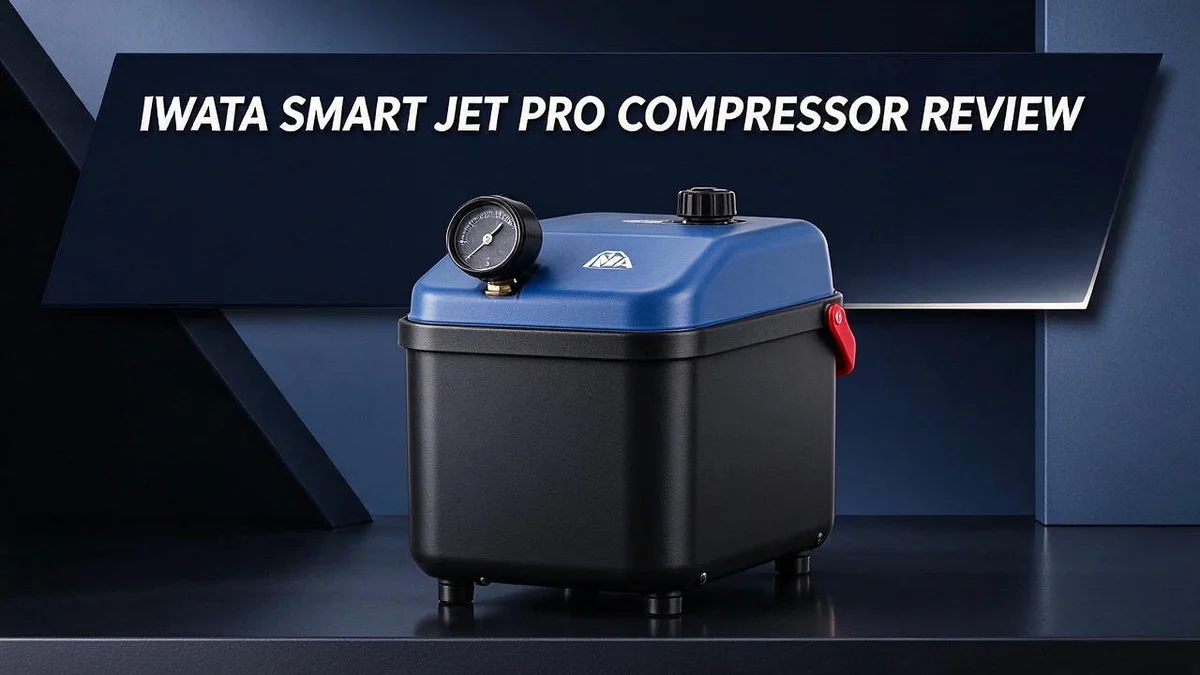
Iwata Smart Jet Pro Compressor Review 2026: Buyer’s Guide
If you paint with an airbrush, you know how much a steady air supply matters. The Iwata Smart Jet Pro (IS875) aims to deliver just that. It is a compact air compressor built for hobbyists and pros alike.
Many artists want a quiet workspace. This unit runs at about 50 dB, so it stays easy to live with. Its oil-less piston design also means you skip regular oil changes.
Here is what stands out. The unit offers adjustable working pressure from 1 to 30 PSI. It shuts off automatically when you stop using it. At about 14 lbs, it moves around your studio with ease.
In a Nutshell
- No routine upkeep: This compressor needs no oil, so there is no regular maintenance to schedule. You can spend more time painting and less time caring for the machine.
- Pressure you can dial in: The adjustable setting lets you soften the air for fine lines or raise it for larger coats. Small changes make a visible difference in your work.
- Smart idle mode: The unit shuts off on its own when you stop working. It stays ready for your next session without extra steps.
- Moisture needs attention: There is no moisture filter included, so add a water trap to your air line. This step protects your paint from water spots.
- Easy to carry: Its light frame makes it simple to move between your desk and storage shelf.
- Compare before you buy: Many shoppers weigh it against the Sparmax Arism Viz, the Iwata Smart Jet Plus, and the Iwata Sprint Jet. Each rival offers a different feel and fit for your setup.
Noise Level and Operation

- 1/8 hp 1-35 PSI maximum operating pressure
- Mounted fully adjustable air-pressure gauge
Last update on 2026-11-20 / Affiliate links / Images from Amazon Product Advertising API Some of the links on this website are affiliate links, which means that at no additional cost to you, I earn a commission if you click through and make a purchase. I only recommend products and services that I believe will add value to my readers. Thank you for your support!
The Iwata Smart Jet Pro is rated at 50 dB, which sits near the level of a calm conversation. That number gives you a clear starting point for your own space.
Real sound depends on your setup, though. Owners on forums say the unit runs more quietly than many rivals. Others call it noisy during longer sessions, so your expectations matter.
Placement changes everything. Set the compressor on a soft mat or a folded towel. This simple step reduces the vibration that travels through a desk or shelf.
Tubing plays a role too. A long or stiff hose can rattle against walls or furniture. Secure the hose with clips so it stays still while the motor runs.
Your room shapes the sound. Bare walls and hard floors reflect noise back at you. Adding a rug or a curtain can soften the echo and make the unit feel calmer.
Listen for the cycle. The motor starts and stops as it builds and holds pressure. Many users find this rhythm easy to tune out after a few days. Others find the starts distracting, so test it during your normal work hours.
Forum comparisons describe the air flow as consistent. Steady output can help the motor sound even rather than strained.
Plan your session length. If you run the unit for long stretches, the constant hum may wear on you. Short breaks give your ears a rest and help you judge the sound with fresh focus.
Quiet matters for focus, too. A steady hum often fades into the background after a short time. However, a sudden change in pitch can pull your attention away from detailed work.
Try a short test before you commit to daily use. Run the unit for ten minutes while you work on a practice sheet. Pay attention to how the sound feels, not just how loud it seems.
Pressure Control and Airflow
Pressure range shapes how your paint lands on the surface. The Iwata Smart Jet Pro covers 1 to 30 PSI, so you can work across many projects.
Low settings suit thin inks, fine shading, and small details. Many artists start near the bottom of the scale. Then they nudge the dial up until the paint flows smoothly.
Always read your pressure at the airbrush. A gauge placed near the tool shows the real number. Pressure drops along a long hose, so the compressor dial alone can mislead you. Check the reading before every session, since small changes in the room can shift your numbers.
Pressure control gets mixed feedback. Some users report that the control feels limited. If you need tiny steps between settings, test the dial before starting a big job.
Your spray pattern tells you a lot. A fuzzy edge often means the pressure runs too low. Spitting or heavy blobs usually point to pressure that runs too high. Use the pattern as your guide.
Airflow also depends on your tip size. Larger tips move more paint and need more air volume. Smaller tips work best at lower pressure, because they release less paint with each pulse.
Match the setting to the paint. Thick acrylics often need a higher pressure than thin inks. Test on scrap cardboard first. Adjust in small moves until the spray looks even.
Pressure needs can change mid project. Switch to a lower setting for detail work at the end. This keeps your finish crisp.
A clean air path keeps pressure steady. Check the intake for dust and lint every few weeks. A blocked intake can cause pressure to swing, even when the dial stays put.
Keep a simple log of your favorite settings. Write the paint type, tip size, and PSI in a notebook near your workbench. Over time, you build a handy reference for every project.
Maintenance and Longevity
The Iwata Smart Jet Pro carries a rating of about 5,000 hours of service life. That number gives you a useful yardstick for how long the unit should last. A few short sessions each week add up slowly.
Start a simple usage record. Write down the date and the length of each session in a notebook or phone note. Over time, you can see how close you are to the rating and spot changes early.
The warranty lasts two years, so keep your receipt and the original box. Proof of purchase makes any claim much easier. Store the paperwork in a dry drawer where you can find it fast.
Dust is the quiet enemy of any compressor. Wipe the outer housing with a dry cloth after each session. Keep the air intake clear of lint, paint mist, and loose debris.
Choose a dry room for storage. Humidity can rust metal fittings and dampen internal parts over time. A shelf away from the floor keeps the unit off damp concrete.
Inspect your hose every month. Look for cracks, soft spots, or kinks near the fittings. Replace a damaged hose right away because a split can cause pressure loss and leaks.
Check the connections before each project. A small hiss at the hose joints often signals a loose fitting. Tighten it gently by hand, and avoid overtightening.
Pay attention to how the unit sounds and feels. If the motor strains, runs hot, or makes new grinding noises, stop using it. Contact the seller or Iwata support before you attempt any repair yourself.
Good habits help this compressor serve you for years. Clean, dry, and checked is a simple rule to remember. Your careful routine protects your work and your time.
Top 3 Alternatives
Master Cool Runner II

- Professional Master Airbrush Multi-Purpose Airbrushing System with 3 of Master Airbrushes best selling & user friendly airbrushes. Includes bonus Master Airbrush Quick Start Guide and Airbrush Resource Center access card.
- Master Airbrush Model TC-320 Cool Runner II superior performance powerful 1/5 hp single-piston compressor with two cooling fans that allow it to run much cooler for a longer continuous running time without overheating. Includes airbrush holder for 2 airbrushes.
Last update on 2026-11-20 / Affiliate links / Images from Amazon Product Advertising API Some of the links on this website are affiliate links, which means that at no additional cost to you, I earn a commission if you click through and make a purchase. I only recommend products and services that I believe will add value to my readers. Thank you for your support!
The Master Cool Runner II is a great choice for hobbyists who want quiet and steady airflow. It runs smoothly and keeps your work area calm. Many artists like how easy it is to set up.
Its compact body fits well on a crowded workbench. You can move it from room to room without much effort. Its steady output also helps with fine detail work. It suits both beginners and experienced painters.
Paasche D500R

- 1/5 HP piston compressor with regulator & moisture trap
- Delivers 1-35 PSI depending on airbrush being used

Last update on 2026-11-20 / Affiliate links / Images from Amazon Product Advertising API Some of the links on this website are affiliate links, which means that at no additional cost to you, I earn a commission if you click through and make a purchase. I only recommend products and services that I believe will add value to my readers. Thank you for your support!
The Paasche D500R is a dependable option for people who paint often. It delivers a consistent flow of air for long sessions. Users often praise its simple controls.
This compressor handles model painting, detail work, and light airbrush projects. Its steady pressure helps you get clean, even lines. Cleanup is also quick after each session. You can count on it for everyday creative use.
Iwata Power Jet Lite

- 1/6 hp 1-70 PSI maximum pressure;Less heat-related moisture build-up
- Air regulator for precise air-pressure adjustment
Last update on 2026-11-20 / Affiliate links / Images from Amazon Product Advertising API Some of the links on this website are affiliate links, which means that at no additional cost to you, I earn a commission if you click through and make a purchase. I only recommend products and services that I believe will add value to my readers. Thank you for your support!
The Iwata Power Jet Lite offers a compact design for smaller spaces. It runs quietly, so it works well in shared homes. It is a friendly pick for newcomers.
Setup takes only a few minutes, even if you are new to airbrushing. The unit keeps airflow steady for small jobs and touch ups. Its lightweight frame also makes storage simple. It makes a practical companion for hobby projects.
Moisture and Air Quality
Moisture can ruin a good paint job. Air holds water, and your compressor pulls that water into the line. Once it reaches your airbrush, it can cause problems you might not expect.
Users report that the Iwata Smart Jet Pro has no moisture filter. That means you need to add your own protection. Without it, water can travel straight to your paint.
Water in the airline often shows up as spitting, blotches, or uneven lines. You might also notice a milky haze or tiny dots in your finish. These flaws can look like paint problems, but the real cause is often the air.
Add an inline moisture trap. Place the trap between the compressor and your airbrush. Position it close to the airbrush so it catches water before it reaches the nozzle. Choose a trap with a clear bowl so you can see the water collect.
Check the trap during every session. Empty it when you see water building up. Many artists make this a quick habit before they start painting.
Humid weather makes moisture worse. Damp rooms add more water to the air, so the trap fills faster. On muggy days, check your setup more often and expect to drain the trap more frequently.
Test your air before real work. Spray a few short bursts onto a scrap sheet or a paper towel. Look closely for wet spots, dots, or droplets. If you see them, stop and empty your trap before you continue.
Keep your hose sloping gently down toward the trap. Water runs toward low points, so this layout helps it collect in the right place. Avoid loops or sharp bends that can trap water in the line.
Small checks prevent big problems. A quick test, a drained trap, and a smart hose layout protect your finish. Good moisture habits help your work look clean and smooth every time.
Pros and Cons
Pros
– Oil-less design means no oil changes between sessions.
– Light enough to move around your studio with ease.
– Auto shut-off protects the unit when you step away.
– Low-to-medium output suits fine detail and small projects.
Cons
– Output may fall short on large panels or wide surfaces.
– Reviewers disagree on how quiet it really runs.
– Few details exist for the Iwata Smart Jet Plus.
Who Should Buy It
Hobby painters with small projects will likely enjoy this compressor. Model builders, miniature painters, and sneaker customizers often work on tiny surfaces. This unit fits that kind of work well.
Beginners often feel overwhelmed by large, complicated equipment. A simpler setup helps you focus on technique instead of gear. That makes this compressor a friendly first choice.
Students and renters often share small spaces. A compact unit fits on a desk, shelf, or closet floor. It also suits people who clean up quickly after each session.
Nail artists and makeup artists may also find this tool helpful. They need gentle, controlled bursts rather than heavy airflow. The modest output matches that style of work.
Crafters who paint wood signs, jewelry, or greeting card designs also benefit. Their work relies on detail rather than speed. This compressor supports that slower pace with steady air.
Hobbyists who work in shared homes have another reason to consider this unit. Family members often walk through the same rooms during a project. A small footprint means you can set up in a corner and pack up fast.
Teachers running classroom art projects might like the simple setup too. Students can learn airbrushing without complicated gear. Experimenters who switch colors often will appreciate how quickly they can start again.
Who should look elsewhere? Production shops that paint many items each day need faster output. This compressor may struggle to keep pace with that workload. Furniture refinishers working on large cabinets may also want more power. Large jobs can take many passes and long hours.
Anyone who depends on exact settings for every project should compare other options first. Some paints demand careful tuning from start to finish.
Ask yourself a few simple questions. Do you paint small items at home? Do you value a quiet, compact setup? If you answered yes, this compressor could be a strong match. Answer honestly, and the right choice becomes clear.
Final Verdict
The Iwata Smart Jet Pro earns a solid place on the bench. It brings a clear mix of strengths and a few compromises. Most hobbyists will feel at home with it.
Think of this compressor as a dependable partner for careful work. Its long service life suggests it can keep up with your projects for years. That kind of staying power matters for anyone who paints often.
Reviewers often praise its steady performance. Many users say the air stays consistent from start to finish. That steadiness helps you keep smooth lines across each pass.
The downsides still deserve attention. Some users report noise and limited pressure control. Pressure control matters most for thin coats and soft shading. If you need exact tuning for every project, test your settings before you begin.
Comparing it with rivals helps you decide. The Sparmax Arism Viz faced this unit in a direct review. The Iwata Sprint Jet appears in a comparison video too. Look at how each option handles your daily tasks.
Our recommendation is simple. Choose this compressor if you paint small items, work on fine details, or need a compact unit. Skip it if your studio needs fast output for large batches.
Think about your space and your skill level as well. Beginners often find this unit easy to learn. Experienced artists should weigh the pressure limits carefully before they commit.
Test before you buy whenever possible. A quick trial shows how the air feels in your hands. Ask a local retailer or fellow painter for a demo, too. Hands-on time reveals more than any spec sheet.
Upgrading later is also an option. Many painters start small and move up as their projects grow. This compressor can serve as a practical first step on that journey.
In short, this compressor suits focused, small-scale painting. It rewards careful users with reliable results. Pick it with clear goals, and it will serve you well.
Frequently Asked Questions
Does the Iwata Smart Jet Pro have a moisture filter?
No, it does not include one. Users report that the unit lacks a moisture filter, so you should add an inline water filter between the compressor and your airbrush. This small step keeps moisture away from your paint and your finish.
How does it compare with the Sparmax Arism Viz?
A review places these two compressors side by side. Pay close attention to the noise level, air flow, and pressure control in that comparison. Then choose the model that fits your workspace and your painting style.
Is the 1 to 30 PSI range useful for airbrushing?
Yes, the wide range gives you room to adjust. Most fine detail work sits near the lower end of the scale. Write down your favorite settings so you can repeat them quickly on future projects.
How should I store the compressor between projects?
Keep it in a dry spot away from dust. Coil the hose loosely so it does not kink or crack over time. Cover the unit when you finish for the day, because a little care keeps your tool ready for the next project.

As a fashion trend expert with a passion for self-expression and body art, I’ve built a reputation as a trusted source for inspiration and advice on fashion trends and tattoo designs. With a background in fashion, I’ve worked with various fashion brands and designers, and have written for several fashion publications. I’m excited to share my knowledge and expertise with you through my blog, Inner Beauty Blog, where I showcase a wide range of tattoo designs and share my thoughts on the latest fashion trends.